


Comprehensive Guide on NOUN Application Number and Matriculation Number Lookup
Navigating the administrative portals of the National Open University of Nigeria (NOUN) requires unique identifiers. Whether you are a newly admitted candidate trying to find your tracking credentials or a returning student needing access to academic resources, understanding how to handle your Application Number and Matriculation Number is essential.
For reliable academic updates, resource coordination, and student assistance, platforms like Student Arrive serve as helpful complementary guides for aspiring and current NOUNites.
1. Understanding NOUN Identifiers: Application vs. Matriculation Number
Before initiating any lookup or recovery process, it helps to distinguish between the two core identification numbers used throughout your stay at NOUN:
- Application Number: This is a temporary tracking code generated when you first apply for admission into an undergraduate, postgraduate, or certificate program via the NOUN application portal. It is used strictly during the admission, screening, and status-checking phases.
- Matriculation (Matric) Number: Once your admission is successfully processed, approved, and you are assigned to a study centre, NOUN generates a permanent Matriculation Number for you (typically formatted with an institutional prefix, e.g.,
NOU123456789). This number acts as your official username for the NOUN Student Portal, e-learning portals, Tutor-Marked Assignments (TMA), and fee payment wallets.
2. How to Retrieve or Lookup Your NOUN Application Number
If you recently applied for admission and misplaced your printout or tracking slip, you can recover your application number by following these steps:
- Visit the Application Portal: Go to the official NOUN application/admission portal page.
- Select “Return to Application Form”: Look for the option prompting existing applicants to continue or check status.
- Use Alternative Recovery Fields: If you remember your registered email address or phone number tied to the application, use the password recovery or “Forgot Application ID” utility link provided on the page.
- Check Email Confirmation: Search your inbox (including Spam/Junk folders) for the initial confirmation email sent by NOUN when you completed your application payment. Your application number is explicitly stated there.
- Visit Your Study Centre: If digital recovery fails, printing out your payment receipt and visiting your designated NOUN Study Centre with valid identification will allow desk officers to pull up your records from the database.
3. How to Find and Activate Your NOUN Matriculation Number
Your matriculation number is automatically generated after admission requirements are met. Finding and using it correctly unlocks your student capabilities.
For Fresh Students
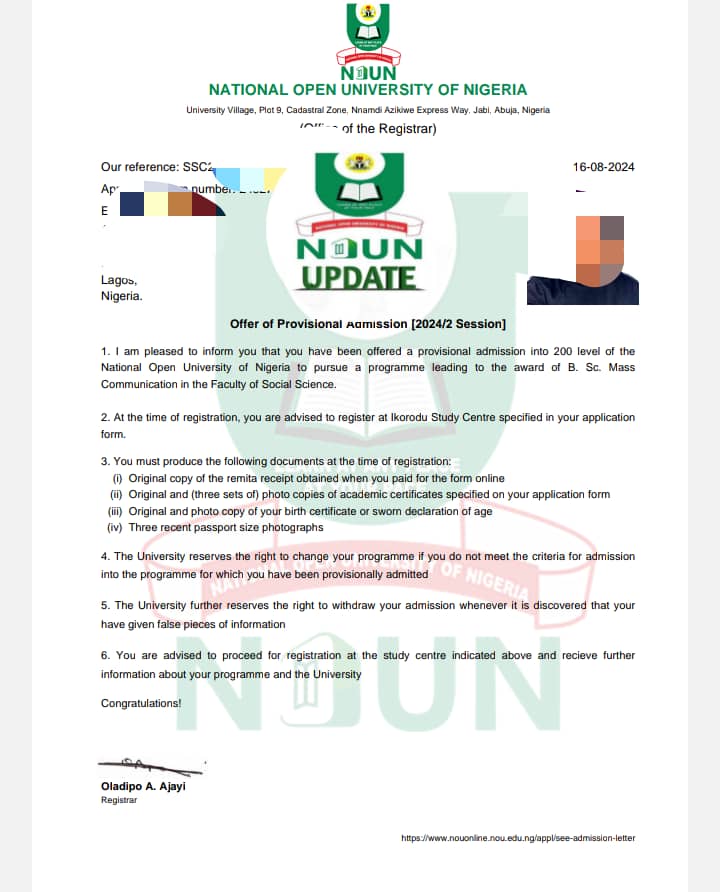
- Check Admission Letter: Your matric number will appear on your officially printed admission letter once uploaded to the portal.
- Initial Login Format: Your default matriculation number serves as both your username and initial password (usually written in lowercase letters, e.g.,
nou123456789) when logging into platforms like the NOUN e-Learning Portal. Upon your first login, you will be mandated to change it to a secure personal password.
For Returning or Inactive Students
If you are a returning student experiencing migration updates or portal changes, your historic records remain tied to your matriculation sequence.
- If your account requires activation or portal synchronization, you can sign up on the portal using your existing matric details to trigger automated database migration within standard processing windows.
4. Troubleshooting Common Portal and Login Errors
When performing a lookup or attempting to log in with your application or matriculation details, you might run into common errors. Here is how to resolve them:
- “User Not Recognized” Error: This usually occurs if you are using uppercase letters where lowercase is required, or vice versa. Ensure your initial login prefix respects the system guidelines (typically lowercase
nou...). - Incorrect Password Prompts: Remember that your password changes permanently the moment you complete your first-time login setup. If you forget your updated password, utilize the password reset option or route a formal request through the NOUN Support Ticketing System.
- Delayed Record Updates: For newly admitted students whose matric numbers are yet to reflect, check back after clearance updates or contact your study centre administrative desk.
Summary Table: Quick Reference
| Identifier Type | Primary Purpose | Where to Find It | Default Login Behavior |
| Application Number | Tracking admission status & screening | Admission slip, initial email confirmation | Used on the application screening portal |
| Matriculation Number | Course registration, TMAs, exams, and wallet funding | Admission letter, study centre records | Lowercase prefix (nou...) for first-time setup |