
NOUN Recent Graduating Lists 2026: Comprehensive Guide, Checkers, and Requirements
For thousands of students of the National Open University of Nigeria (NOUN), successfully navigating the flexible open-learning system is a remarkable milestone. Reaching the finish line means seeing your name on the official institution graduation list.
If you are expecting your name to feature among the newly approved cohorts, staying updated with the official NOUN Recent Graduating Lists 2026 is vital. This comprehensive guide breaks down everything you need to know about checking your graduation status, understanding the batch releases, handling discrepancies, and completing your clearance for the convocation ceremony.
Overview of the NOUN 2026 Graduation Lists
The management of the National Open University of Nigeria officially rolls out graduation lists in sequential batches ahead of its convocation ceremonies. The initial primary graduation lists for 2026 were released starting early February 2026, capturing thousands of undergraduate and postgraduate students across various faculties:
-
Faculty of Arts and Education
-
Faculty of Management Sciences
-
Faculty of Social Sciences
-
Faculty of Sciences
-
Faculty of Law
-
Faculty of Health Sciences
Because graduation processing depends heavily on final project clearances, result uploads, and senate approvals, subsequent batches (such as Batch 2, Batch 3, and supplementary lists) continue to roll out incrementally.
(For career guidance, financial planning, or general educational updates as you transition out of school, you can explore insights on platforms like Wealth Info.)
How to Check the NOUN 2026 Graduating Lists
Graduating students can confirm their inclusion through multiple channels:
-
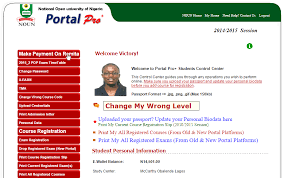
The Student Portal: Log into your official NOUN student portal using your credentials. Navigate to the graduation or profile section to verify if your status has changed to “Graduated.”
-
Study Centre Notice Boards: Physical copies containing comprehensive breakdowns per study centre are sent directly to designated NOUN Study Centres nationwide.
-
Approved Academic Trackers & PDF Compilations: Educational resources and student forums frequently host downloadable PDF formats of Batch 1, Batch 2, and specialized faculty lists for easy Matric Number searches.
Common Reasons Why Your Name Might Be Missing
If you completed your final semester examinations and project defense but cannot find your name on the current 2026 lists, consider the following common bottlenecks:
-
Pending or Outstanding Courses: An unresolved carryover, missing TMA (Tutor-Marked Assignment) score, or delayed exam result can stall your graduation clearance.
-
Credit Unit Deficit: You may not have accumulated the total compulsory and elective credit units required for your specific degree program.
-
CGPA Threshold: Failing to meet the minimum graduation Cumulative Grade Point Average (CGPA) benchmark.
-
Batch Capping: In some instances, if verification processing hits a cut-off point, your name might automatically roll over to the next supplementary or subsequent graduation batch.
Important Corrections and Administrative Guidelines
If your name appears on the graduation list with errors, do not panic. Head over to your study centre immediately if you notice any of the following:
-
Initials or Incomplete Names: Names appearing with initials must be updated to full legal names.
-
Four Names Error: If four names appear, you must officially streamline them to your preferred three names.
-
Spelling Mistakes: Rectify typographical errors on your names immediately.
-
Wrong Study Centre Capture: Ensure your correct study centre is documented to prevent certificate dispatch issues.
Next Steps: Clearance, Documentation, and Fees
Once your name is confirmed on the official NOUN 2026 graduation list, you must proceed quickly with clearance formalities:
-
Exit Survey and Alumni Form: Fill out the mandatory graduate exit survey via the official portal link (
[https://graduateexitsurvey.nou.edu.ng/](https://graduateexitsurvey.nou.edu.ng/)) and complete the NOUN Alumni registration form, then print your slips. -
Bursary Clearance: Obtain and print three copies of your clearance form from the bursary unit at your study centre. Ensure you have no negative financial balances on your portal.
-
Convocation Payments: Pay the stipulated convocation and alumni fees strictly through the official Remita platform. Keep your receipts handy, as they are required for collecting academic gowns and certificates.