
Guide to E-Learning Management Systems: Everything You Need to Know
In recent years, education has undergone a massive digital transformation. Traditional four-wall classrooms are increasingly complemented—and sometimes completely replaced—by digital platforms that make learning flexible, accessible, and interactive. At the center of this revolution is the E-Learning Management System (LMS).
Whether you are an educational institution, a corporate organization training employees, or an independent educator setting up online tutorial hubs, understanding how an LMS works is essential for modern success.
What is an E-Learning Management System (LMS)?
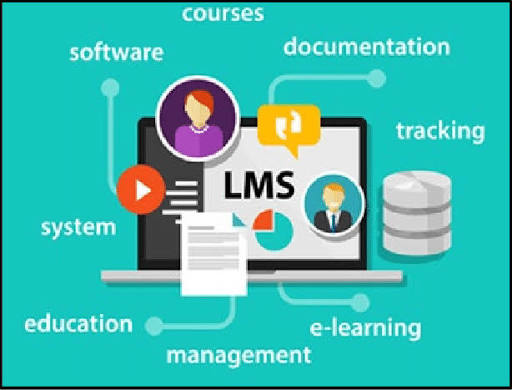
An E-Learning Management System (LMS) is a software application or web-based technology used to plan, implement, and assess a specific learning process. Typically, a learning management system provides a central platform to handle all aspects of digital education:
- Hosting and distributing course materials (videos, PDFs, audio, and slides) Student Arrive
- Managing user registrations, student profiles, and role assignments Student Arrive
- Tracking learner progress, completion rates, and performance analytics Student Arrive
- Administering tests, quizzes, and continuous assessments Student Arrive
- Facilitating interaction through discussion forums, messaging, and live virtual classes Student Arrive
Open and distance learning frameworks rely heavily on these technologies to bridge the geographical gap between instructors and learners. For a practical look at how structured remote educational portals are managed, you can review this detailed breakdown of the NOUN Management Information System.
Core Features of a Robust LMS
Not all learning management systems are created equal. A high-performing platform should feature an intuitive design and administrative power. Key features include:
1. User-Friendly Dashboard and Interface
Both students and instructors need a clean, clutter-free space to navigate. A good dashboard provides quick-access menu items for profiles, active courses, upcoming deadlines, and financial or registration histories.
Student Arrive
2. Course Creation and Content Management
Instructors should be able to easily structure content into modules, topics, and lessons. Whether you are uploading text-based instructional manuals or embedding multimedia lectures, flexibility is key. If you are exploring how to set up your own academic hub from scratch, you can check out this guide on how to create student portals using WordPress.
3. Assessment and Grading Tools
Continuous assessment is a pillar of effective learning. An advanced LMS supports multiple question formats (multiple choice, true/false, short answers, and essay uploads), automated grading for objective tests, and feedback portals where students can instantly view their scores. For instance, distance learning frameworks utilize specialized portals to handle routine continuous tasks—similar to how students navigate the NOUN TMA (Tutor-Marked Assignment) Portal.
Student Arrive+ 1
4. Tracking and Reporting Analytics
Administrators and teachers need insights into student engagement. Analytics tools track metrics such as login frequency, module completion rates, time spent on materials, and exam scores to identify students who might be falling behind.
Benefits of Implementing an LMS
Adopting a learning management system brings undeniable advantages to the educational ecosystem:
- Unmatched Flexibility: Learners can access course materials anytime and anywhere, allowing them to balance education with work and personal commitments.
- Cost Efficiency: It eliminates printing costs for physical handouts, reduces travel expenses, and scales easily to accommodate thousands of students without physical infrastructure limits.
- Centralized Data Storage: All student records, grades, submissions, and course files are safely housed in a secure database, minimizing the risk of lost paperwork.
- Standardized Learning: Every student receives the exact same quality of core instructional material, ensuring consistency across various learning centers or remote branches.
Choosing or Building the Right Platform
When deciding on an e-learning setup, institutions generally choose between commercial software-as-a-service (SaaS) platforms or self-hosted solutions. Platforms built on content management frameworks like WordPress, integrated with specialized plugins (such as LearnDash or Tutor LMS), offer extensive customization options without requiring enterprise-level budgets.
Student Arrive
To get the most out of any digital learning framework, ensure that your platform has robust security measures (like an active SSL certificate and reliable user roles) to protect sensitive academic records and user data.
Student Arrive
Conclusion
E-Learning Management Systems have redefined the boundaries of traditional education. By streamlining course delivery, automating continuous assessments, and providing deep analytical insights, an LMS empowers both educators and learners to achieve optimal results. Whether you are scaling an online academy or navigating an open-distance learning program, mastering these digital tools is the gateway to long-term academic and professional success.


