
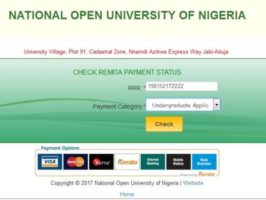
Comprehensive Guide to NOUN Student Wallet Funding
Navigating the financial and administrative processes of the National Open University of Nigeria (NOUN) requires a clear understanding of the student portal architecture. Among the most crucial steps for any undergraduate or postgraduate student is funding your NOUN student wallet.
Whether you are trying to pay your compulsory semester registration fees, carry out course and examination registrations, or process other academic requests, having a funded e-wallet is mandatory. Without completing this step, you will be restricted from moving forward with your academic activities on the portal.
For comprehensive guides on navigating your academic journey, you can always check out resources on Student Arrive.
Why Wallet Funding is Mandatory
In the NOUN ecosystem, direct payment gateways for individual services have transitioned into an integrated e-wallet system. Think of your student wallet as a digital account linked directly to your matriculation profile.
- Seamless Transactions: Fees for course materials, examinations, and compulsory semester charges are automatically deducted from this balance.
- Elimination of Third-Party Frauds: Learning how to fund your wallet independently prevents you from falling victim to external cyber fraudsters or exploitative agents who charge exorbitant fees to handle portal transactions.
Step-by-Step Guide to Funding Your NOUN Student Wallet
To successfully credit your student wallet without hitlogs or errors, follow this structured procedural breakdown:
Step 1: Access the Student Portal
- Open your web browser and navigate to the official NOUN student portal (nouonline.net or the designated active portal URL).
- Input your correct Matriculation Number and Password to log into your dashboard.
Step 2: Navigate to the Wallet Menu
- Locate the main navigation layout or dashboard drop-down menu tagged “Wallet”.
- Click on the option that reads “Generate Remita Number” or “Fund Wallet”.
Step 3: Specify Your Desired Amount
- A prompt page will appear, featuring an input box labeled “Amount”.
- Enter the exact figure you intend to deposit (ensure you calculate your exact semester charges beforehand so you fund an adequate amount).
- For payment type options, select “Bank Branch” or the direct online card option, then click Submit.
Step 4: Retrieve and Process Your Remita Retrieval Reference (RRR)
- The system will generate a Remita invoice containing your unique RRR code (the string of numbers featuring hyphens).
- Copy or write down this number carefully, as it serves as the tracking identifier for your transaction.
Step 5: Complete the Payment Online
- Proceed to choose your preferred payment gateway option (ATM Card/Debit Card or USSD are generally the fastest and most seamless methods).
- Input your card details (Card Number, Expiry Date, and CVV) if you selected the card payment method.
- Authorize the transaction by inputting the One-Time Password (OTP) sent via SMS or email by your banking institution.
- Click Confirm. Once successful, your bank account will be debited, and the funds will reflect automatically or after a brief processing period inside your NOUN student wallet.
Best Practices & Troubleshooting Tips
- Cross-Check Amounts: Always cross-reference your department’s fee schedule before funding to avoid under-budgeting your semester registration.
- Network Stability: Ensure you are using a stable internet connection to prevent session timeouts while interacting with the Remita payment bridge.
- Saving Receipts: Always download or print your transaction/Remita receipts immediately after a successful payment for record-keeping purposes.
For more tips, news updates, and student guides tailored to Nigerian undergraduates, explore Student Arrive.