
How to Create Gmail Account for JAMB Registration To create a Gmail account for JAMB registration, go to the Gmail website and click “Create account”. Follow the prompts to enter your information (name, desired username, password, phone number for verification, and recovery email if desired). Once completed, your new Gmail account can be used to register for JAMB. Here’s a more detailed breakdown: Navigate to Gmail: Open your web browser and go to the Gmail website. Start the account creation process: Click on “Create account”. Enter your information: Name: Provide your first and last name. Username: Choose a…
Read MoreYear: 2026
How to Print Original JAMB Result
How to Print Original JAMB Result with Registration Number; https-jamb-gov-ng JAMB result is a document that contains your examination score for your UTME subjects The results are released twenty (24) after the conduct of the examination. There are two types of JAMB result JAMB result slip Original JAMB result The original JAMB result is for first-year clearance by undergraduate students. You would need it to fulfil your school admission requirements. The cost for printing the original JAMB result is one thousand naira (₦1,000). You can print your JAMB result up to five (5) times for your first payment.…
Read MoreJAMB UTME Portal Using Registration Number
Login into the JAMB UTME Portal Using Registration Number https://jamb.gov.ng To access the JAMB portal using your registration number, you need to visit the JAMB e-facility portal and log in with your email address and password. If you’ve forgotten your password, you can retrieve it using your profile code or NIN. Once logged in, you can access various services, including viewing your results and printing your examination slip. Here’s a step-by-step guide: Access the portal: Go to the JAMB e-facility portal. Login: Enter your email address and password. Forgot Password? If you’ve forgotten your password, click…
Read MoreUNN 3rd Supplementary Postgraduate CBT Entrance Exam

This is to inform all concerned candidates that the Supplementary Postgraduate Admission Computer Based Screening Test of the University of Nigeria, Nsukka has been scheduled to take place as follows: Date: Wednesday, March 28 Venue: Nnamdi Azikiwe Library, U.N.N. Time: 9.00a.m. Note: Exam Venue is Nnamdi Azikiwe library, University of Nigeria, Nsukka. CANDIDATES ARE REQUESTED TO COME ALONG WITH THEIR SUMMARY FORM D3 AND WHITE SHEETS OF PAPER AND PEN. Those who could not participate in the earlier screening test owing to lack of information on the…
Read MoreSTEPS TO BUSINESS PLAN SUBMISSION

STEPS TO NOUN BUSINESS PLAN SUBMISSION (1) Login to your NOUN LEARNING SPACE at: https://mylearningspace.nouedu2.net (2) Click on Go to Online Courses (3) Click on GST 302 Business Creation and Growth (4) Open all the links in the sections to tick all the boxes as part of participation. Read briefly ???? (5) Scroll down to Submission of Enterprise Ideas (6) Click on the link for your Incubation centre, e.g. those in Lagos or Ibadan are in the Southwest incubation centre, those in Enugu or Anambra are in the Southeast incubation…
Read MoreHow To Check JAMB Admission Status
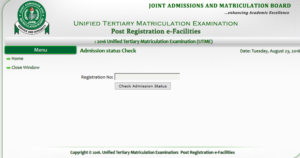
Check JAMB Admission Status: We have confirmed that candidates can confirm their admission status via their JAMB profile. We hereby urge candidates to proceed to login to their JAMB profiles. Candidates are to follow the procedure below to check their admission status as well as ACCEPT or REJECT Admission. Steps to Check JAMB Admission Status And Accept/Reject 1. Visit http://www.jamb.org.ng/efacility preferably using a PC or chrome browser on mobile. 2. Login with the credentials( email and password) you created your jamb account with. 3. After successfully logging in, click on the options button…
Read MoreJAMB Candidates With Pending Result Issues
JAMB Candidates With Pending Result Issues We understand that quite a number of candidates still have not been able to check their results on the JAMB portal. We equally learnt that a number of candidates who saw the details of their results when they first checked on JAMB portal can no longer access the results. Their results have suddenly “disappeared”. JAMB had earlier announced that about 111,981 results have been withheld for further screening to ensure they are clean from malpractice. This means that the main reason (may not be the only reason) why some candidates…
Read MoreHow to Print NOUN Admission Letter
How to Print NOUN Admission Letter Have you been admitted to study in National Open University of Nigeria and wish to re-print your admission letter? If yes, it’s quite easy, and can be done without any ado upon the provision of your Registration number/PIN. Sometimes you might be needing your admission letter, maybe for to apply for other online applicable platform. e.g scholarship award, and other Beneficiary online submission application platform. So it’s Good to have your admission letter in a PDF format for easier processes. How To Re-Print Noun Admission…
Read MoreNoun Admissions Undergraduate Programmes

National Open University of Nigeria, NOUN Admissions Undergraduate Programmes NOUN Admission Processes: An applicant for undergraduate admission into NOUN is normally expected to have a minimum of 5 o-level credits including English Language and Mathematics. Additional requirements might apply for some programmes and these can be viewed after selecting the Programme and entry level at the Faculty’s admission page. To apply for a programme, select the Faculty, choose the programme and entry level so that the View Requirement button is enabled. Clicking this button will reveal the corresponding entry requirement and enable…
Read MoreFUAM Sandwich Admission Form

The University of Agriculture, Makurdi has began sales of forms for admission into various Sandwich programme for the Contact Session. Candidates wishing to apply for any of the Sandwich programme are to follow the instructions for the application procedure. Available Programmes 1 Agricultural Education: B. Agricultural Education 2 Science Education: B. Sc. (ED) Mathematics/Statistics/Computer Science 3 Science Education: B. Sc. (Ed.) Statistics/Computer Science 4 Science Education: B. Sc. (Ed.) Integrated Science 5 Science Education: B. Sc. (Ed.) Mathematics/Statistics 6 Science Education: B. Sc. (Ed.) Physics 7 Science Education: B. Sc.…
Read More