
GMAT Online Exam
Due to the COVID-19 pandemic, GMAC has to suspend test-center based GMAT exam for candidates, as worldwide various countries have imposed restrictions on the movement of citizens. On April-15th-2020, GMAC (Graduate Management Admission Council), administrator of the Graduate Management Admission Test (GMAT) announced the release of the GMAT Online exam. The online exam is open to all test-takers and the format is designed to support the students’ need to meet B-school deadlines.
Latest update on GMAT Online Exam
GMAC has announced the latest update on GMAT Online Test. We have explained the changes below.
- The number of times a candidate can take the GMAT exam online will not be limited to 2 now. The online attempts will count toward the overall GMAT attempt limits of 5 in a rolling 12-month period, and 8 in a lifetime.
- The GMAT online exam includes 5 free score reports. The 5 free score reports must be used within 48 hours once the official online exam score is available. Additional score reports can be purchased for US$35 each.
Earlier updates in GMAT Online Exam
- Analytical Writing Assessment section added from 8th-April-2021
- Select exam section order
- Two 8-minute optional breaks
- View unofficial score immediately
- Book GMAT Online Exam appointments up to 6 months in advance
We have discussed these changes in detail below.
Section order for GMAT Online Exam after the introduction of AWA
Presently, the section order is fixed and candidates have no option to choose the section according to their preference. However, after the introduction of the AWA section (from April-08-2021) candidates will have the choice to select the section order. These will be:
- Analytical Writing Assessment, Integrated Reasoning, Quantitative, Verbal
- Verbal, Quantitative, Integrated Reasoning, Analytical Writing Assessment
- Quantitative, Verbal, Integrated Reasoning, Analytical Writing Assessment
Two optional breaks
Like an in-person exam where candidates are allowed a single five-minute break, the online exam allows test-takers two eight-minute breaks. However, these are optional, so, candidates have the choice if they wish to avail of this or not.
See your official GMAT Score right after the exam
Now, the way candidates can see their scores in test centers will now be able to see their unofficial GMAT scores immediately after the exam. These include sectional and composite multiple-choice scores, comprising Verbal, Quant, and IR scores).
Online GMAT Exam Registration
The GMAT Online exam registration fee is $275 USD (Rs 20,600 approx) and includes 5 free score reports. Candidates can select their schools after reviewing their scores.
GMAT Online Exam Structure
The GMAT Online exam includes the Quantitative, Verbal, and Integrated Reasoning sections (omitting the Analytical Writing Assessment Section). Each section will contain the same number of questions and time per section as the current in-person GMAT exam. The sections include:
- Quantitative: 31 questions / 62 minutes
- Verbal: 36 questions / 65 minutes
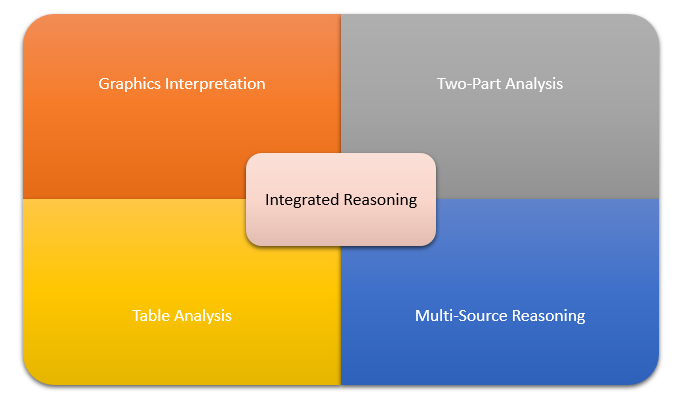
- Integrated Reasoning: 12 questions / 30 minutes
- Analytical Writing Assessment: 1 question / 30 minutes (will begin from 8th-Apr-2021)
Schedule GMAT Online Exam up to 6 months in advance
Now candidates have the choice to book GMAT Online Exam appointments on a rolling 6-month basis.
Exam Pattern for Online GMAT Exam
| Sections | Measuring skills |
|---|---|
| Quantitative(31 questions / 62 minutes) | Analyze data and draw conclusions using reasoning skills |
| Verbal(36 questions / 65 minutes) | Read and understand written material and evaluate arguments and correct writtenmaterial to make it into standard written English |
| Integrated Reasoning(12 questions / 30 minutes) | Analyze data and evaluate information presented in different formats |
| Analytical Writing Assessment (will begin from 8th-Apr-2021)(1 question / 30 minutes) | Think critically and communicate ideas |
| Total time: 3 hours 7 min. |
Sections for the GMAT online exam have been fixed as Quantitative Reasoning, Verbal Reasoning, Integrated Reasoning, and Analytical Writing Assessment. The total exam time is approximately 3 hours 30 minutes including two optional 8-minute breaks.
You May also like:
- IELTS Registration (How to Book a Test)
- IELTS Exam Dates FAQ
- How to Choose IELTS Test Dates
- How to Send IELTS Scores to Colleges
Test Dates for Online GMAT Exam
To increase flexibility, appointment times are available 24 hours a day, 7 days a week and you can schedule an exam appointment up to 24 hours before an available testing window. Appointment dates are available for the current version of the GMAT online exam till April 7, 2021. Registration for the new GMAT online exam will open on February 17, 2021, for appointment dates beginning April 8, 2021. We will continue to monitor conditions and look to add future appointment dates as needed. The GMAT Online exam can be taken on both Windows and Mac personal computers and laptops.
GMAT Online exam Scoring
The GMAT Online exam includes the same type and number of section times and items as in the exam administered in the test centers. Also, it will use the same scoring algorithm and score scale for the Section Scores and Total Score as the test-center based exam.
Score Report
In the score report, candidates will see the individual section scores and as well as the total score of the exam. Candidates will also be able to view the percentiles of their score in the score report.
Send GMAT Online score to schools
Once you receive your official GMAT online score, you can review it before sending it to schools. You can send your GMAT online score to as many programs as you want at no additional cost. You can send the scores through the following method:
Step 1: Log in to your official mba.com account
Step 2: Click on the ‘Send GMAT online score’ button
Step 3: Select the programs you wish to send score reports to
Step 4: Verify and click the ‘Send GMAT online score’
GMAT Online Exam Score Validity
GMAT Online exam scores are valid for 5 years and will not count towards their 12-month and lifetime GMAT limits.
Sending GMAT Online Exam scores
5 free score reports have been included in the GMAT Online exam fee. So, candidates can send score reports up to 5 programs of their choice. These score reports must be used within 48 hours upon receipt of your official score. Also, for GMAT test (s) taken before October 20, 2021, test-takers can continue to send unlimited free score reports until January 31, 2026. After this, candidates need to purchase additional score reports at US$35 each.
Rescheduling or Cancelling GMAT Online Exam
Candidates can reschedule or cancel their exam appointment up to 24 hours before their scheduled exam by logging into their mba.com account.
- Reschedule fee: $25 USD
- Cancellation fee: $100 USD
Also, no appointment changes can be made within 24 hours of the scheduled appointment time.
Retesting
The number of times a candidate can take the GMAT exam online will not be limited to just 2 now and online attempts will count toward the overall GMAT (including offline) attempt limits – 5 in a rolling 12-month period, and 8 in a lifetime.
Related Posts:
- Busting Myths About Studying Abroad
- TOEFL Exam 2026
- 25 Scholarships in USA
- Top 10 Scholarships in Italy for International Students
- Top 10 Prestigious Scholarships for the Best Students
- 35+ International Scholarships for Development-Related Studies
Gmat Online Exam Requirements
The Graduate Management Admission Test (GMAT) is the gold standard for getting into top-tier business schools and MBA programs globally. Ever since the Graduate Management Admission Council (GMAC) introduced the GMAT Focus Edition online option, candidates have gained the immense flexibility of taking this high-stakes exam right from the comfort of their home or office.
However, taking an official exam at home means your room becomes a highly regulated testing center. A single technical glitch, unapproved item, or hardware failure can result in your exam being canceled with no refund.
To ensure your test day goes flawlessly, this comprehensive guide covers every technical, environmental, and structural requirement for the GMAT online exam.
1. System and Hardware Requirements
Before anything else, you must ensure your computer meets the strict system requirements set by GMAC and its testing delivery partner, Pearson VUE. You will be required to download secure browser software that locks down your computer during the test.
| Feature | Windows Requirements | Mac Requirements |
| Operating System | Windows 10 or 11 (64-bit) | macOS 12 (Monterey) or higher |
| Power Supply | Constant power source (plugged into a wall outlet) | Constant power source (plugged into a wall outlet) |
| Webcam | Minimum 640×480 @ 10 fps (Internal or External) | Minimum 640×480 @ 10 fps (Internal or External) |
| Audio | Functional microphone and speakers (Headsets banned) | Functional microphone and speakers (Headsets banned) |
| Monitors | Single monitor only (Dual monitors strictly banned) | Single monitor only (Dual monitors strictly banned) |
⚠️ Critical Warning on Work Computers: It is highly recommended that you use a personal computer. Corporate laptops frequently have background firewalls, VPNs, or security software that will block the exam application from launching, leading to an automatic forfeiture of your fees.
2. Workspace and Environmental Rules
The physical room where you take the exam must meet total privacy standards. A remote human proctor will monitor you continuously via your webcam and microphone.
-
Complete Isolation: You must be alone in a walled room with a closed door. Nobody else is allowed to enter, exit, or be present in the room during the entire duration of the test.
-
The Desktop Clear-Out: Your desk must be completely bare. All books, loose papers, notebooks, pens, calculators, and secondary electronic devices (tablets, smartwatches) must be completely out of reach.
-
No Wall Text: The proctor will ask you to perform a 360-degree sweep of the room with your webcam. If you have whiteboards with writing, educational posters, or visible notes on the wall, you will be asked to erase or cover them.
-
Lighting: The room must be well-lit so the proctor can clearly see your face, eyes, and hands at all times. Avoid strong backlighting (like sitting directly in front of a bright window), which can turn your video into a silhouette.
Preparing for a rigorous international exam like the GMAT requires structured, deliberate practice. If you want to optimize how your brain retains complex formulas and logic puzzles during your prep, take a look at our guide on how to build a spaced repetition study schedule to boost your memory.
3. Approved Testing Materials (Scratch Work)
Because you cannot use scratch paper or regular pens, GMAC allows exactly two options for tracking data sufficiency and quant equations: An online whiteboard tool provided inside the exam software, or a physical whiteboard that meets these exact dimensions:
-
Size Limitations: The physical whiteboard must be no larger than 12 inches x 20 inches (30 cm x 50 cm).
-
Surface Rules: It must be a blank, double-sided dry-erase board without grids, lines, or branding.
-
Accessories: You are allowed up to 3 dry-erase markers and 1 whiteboard eraser. Traditional paper towels or tissues for erasing are usually permitted but must be shown to the proctor.
4. ID Verification and Admission Protocols
On the day of your exam, you should log into your account 30 minutes before your scheduled slot. You will undergo a check-in process via your smartphone or webcam.
-
The ID Photograph: You must upload a clear, live photograph of your government-issued identification.
-
Matching Details: The first and last name on your ID must match exactly with the name you used to register your GMAT account.
-
The Workspace Photos: You will be prompted to take four photos of your testing environment (front, back, left, right) to prove your workspace is completely clear.
For international students, navigating these strict global identity verification standards can sometimes feel overwhelming. If you are also in the process of organizing your broader academic journey or applying to schools abroad, make sure to read our detailed checklist on how to navigate international student visa processing smoothly.
5. Test Day Best Practices
- 15+ Tuition Fee Scholarships offered by Universities for International Students
- 10 Distance Learning Scholarships & Tuition
- Top 10 International Scholarships for Women
- 10+ Scholarships in Australia for International Students
- Top 50 International Scholarship Programs Offered Annually
- Top 10 Science, Engineering, Technology Scholarships for Foreign Students
- Top 15 Bachelor’s Degree Scholarships for International Students
- Top 10 International Scholarships for African Students
- PTE Academic 2026
- GRE Exam 2026
- GMAT 2026 Exam